
Did you just hear that? PMMs around the world collectively breathed a sigh of relief.
Launched a new feature? Need to fix a typo in a customer quote on 8 assets? Octave now helps you update your collateral, docs, and context source of truth without needing to make the same change in multiple places.
Connect Octave to Notion, Google Docs, your live webpages & more. Octave will read them weekly and update your context graph with anything that has changed, via Suggestions. It can also update your docs when your context graph changes.
What you can connect
Upload a file, paste text, or link up your Google Drive and Notion. You can also drop in links to specific webpages. If you’ve generated Assets with Octave, like one-pagers, you can also add them as connections.
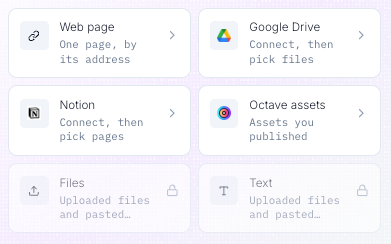
Tip: Make sure your Google docs have view and/or edit access enabled, even if it's limited to your organization. Octave will only read the tab selected (reflected in the URL you give Octave).
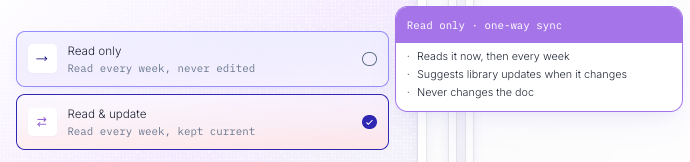
Read only (one-way sync)
When you add a connection to Octave, Octave looks at it every week to compare it to your context graph and see if anything has changed. If it finds significant differences, Octave will create Suggestions to update your context graph so it better matches your source.
For example, if you add your company’s homepage, then anytime you update that homepage, Octave will create a pre-loaded suggestion to mirror the update in your context graph.
Here at Octave, we save time by adding our customer stories as connections, so that if a customer wants to change a stat, we just need to make that change in one place: the customer story itself. Octave will help update our “reference customer” entity in the library for us.
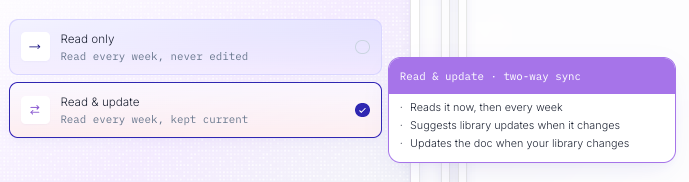
Read & update (two-way sync):
Octave can also update your docs when your library changes.
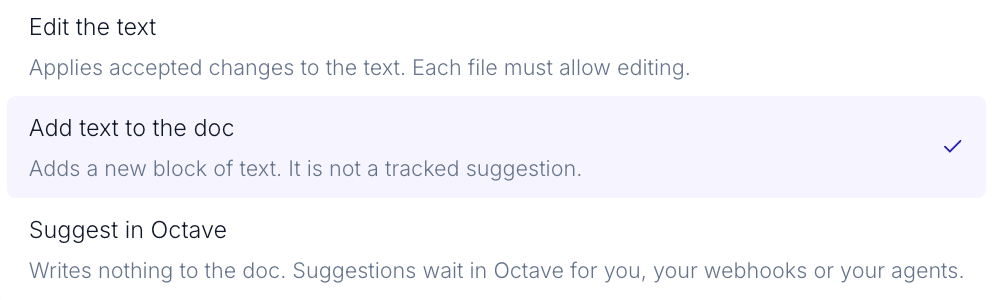
It can make direct edits to the text, overwriting what’s there; it can add a text block; or, it can put a Suggestion into your Octave library for you to review.
You can configure your preferences in Settings.
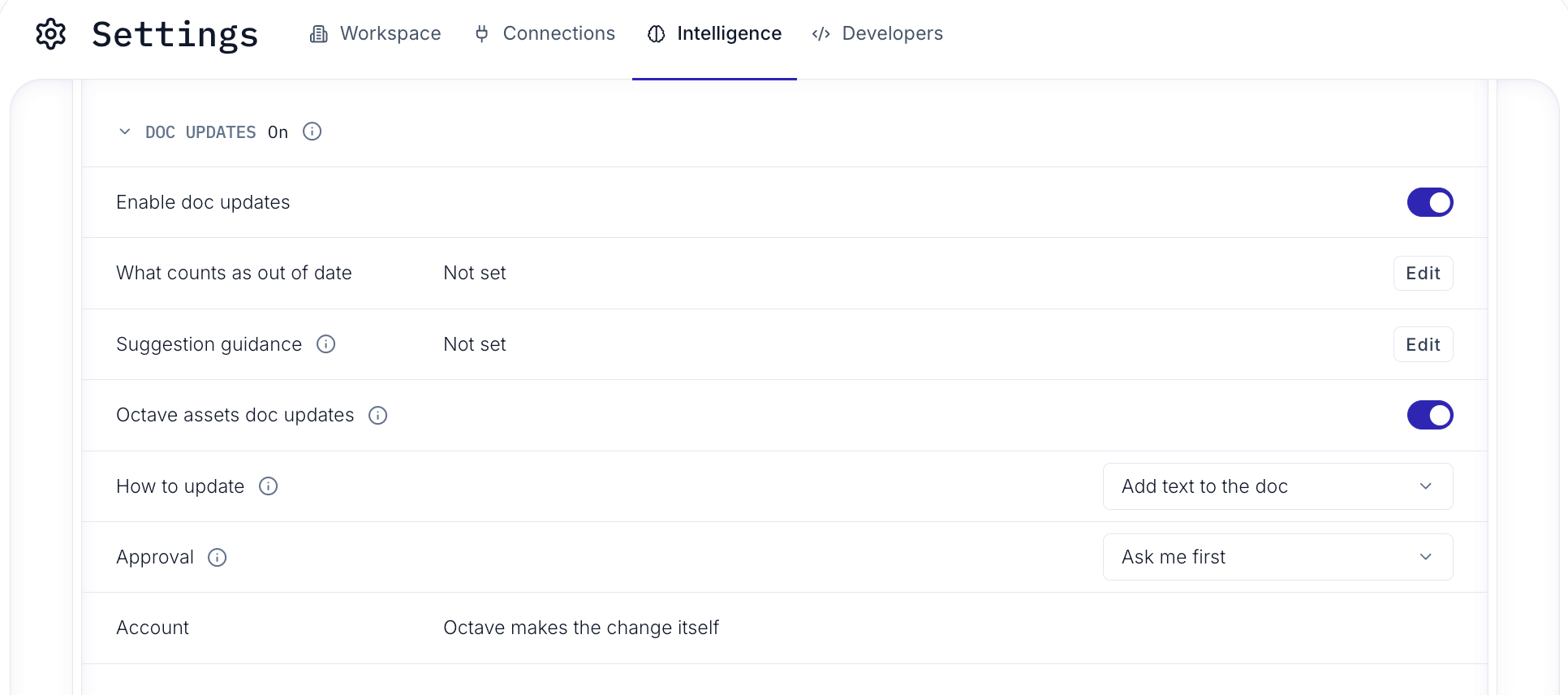
Set your preference for how independent Octave should be with edits.
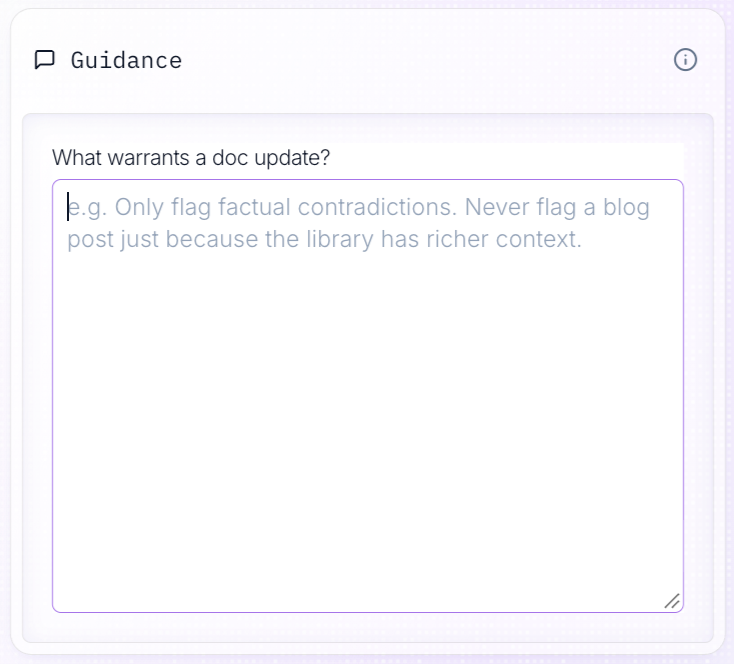
Optionally,give Octave guidance about what does and doesn’t count as a worthwhile change.
To try Connections
Find it in the Octave app under “Observe” in the main menu. You can also chat with Claude via the Octave MCP.
Happy connecting!
